02 · Plan
A week of dinners, planned in one go.
Let the auto-planner fill the week around busy nights, leftovers and the recipes you love — or drag meals in yourself. Every plan becomes a grocery list in one tap.
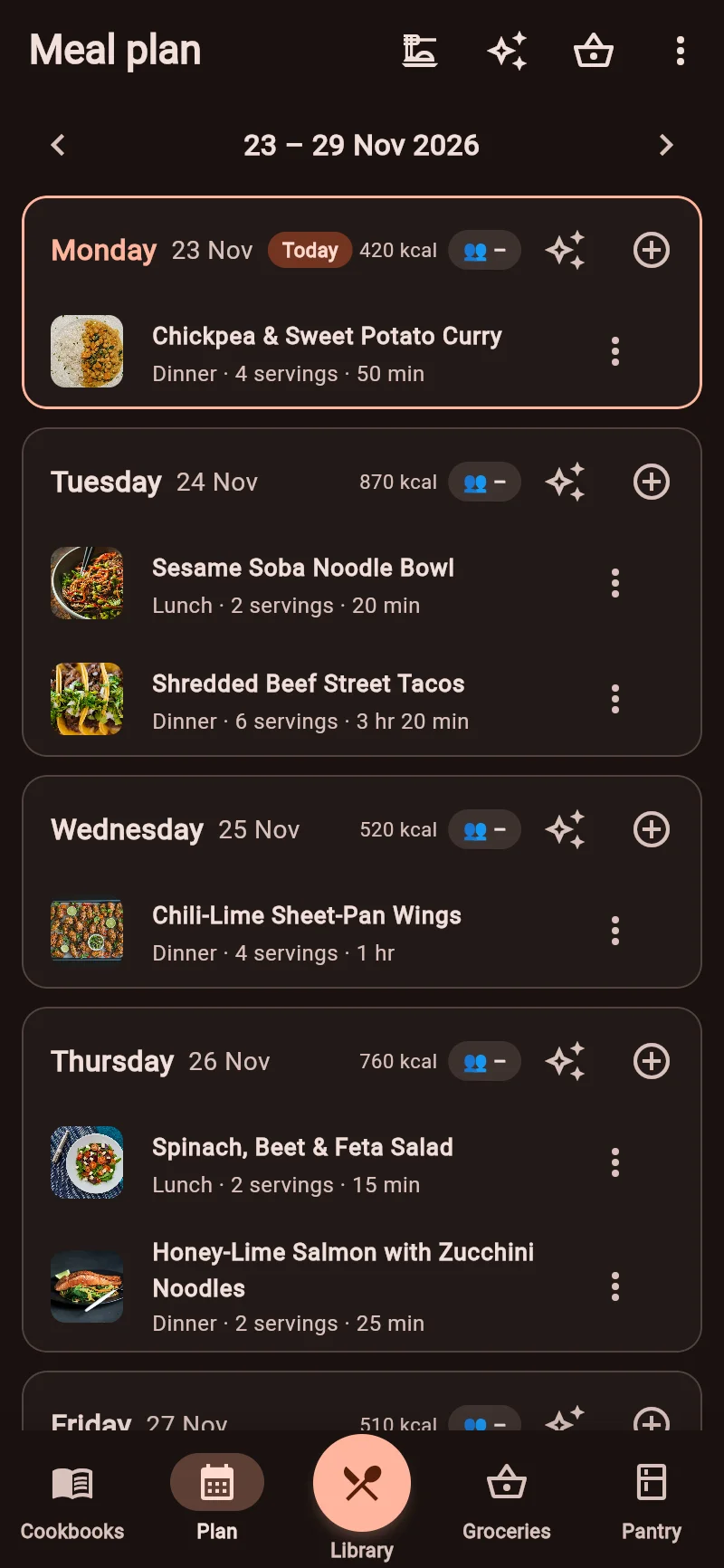
How it works
Three steps, once a week.
Step 1
Set up the week
Who’s eating each day, which nights are busy, and any themes you keep.
Step 2
Let it plan — or do it yourself
Preview the auto-planner’s picks, swap any meal, and nothing lands on the plan until you say so.
Step 3
Send it to the list
The whole week’s ingredients, scaled and merged, in one grocery list.
Plans that fit real life
The auto-planner
Pairs mains with sides, favours well-rated recipes you haven’t made in a while, and never repeats itself.
Busy nights
Set a time limit for weeknights and another for weekends; quick dinners land where you need them.
Leftovers and batch cooking
Big batches feed two nights, and leftover days skip the shopping list.
Weekday themes
Taco Tuesday, Fish Friday — a cookbook or tag per weekday that the planner respects.
Who’s cooking
Hand a meal to someone in the household; servings follow how many are eating.
Use it up
Recipes your pantry already (nearly) covers, with what’s missing.
Free to start
Tonight, and every night after.
Save your first recipe in seconds. No card, no ads — the whole save, plan, shop and cook loop is free.